


Foresite Catalyst
MXDR for Google Cloud
From AI-driven SecOps to cloud security automation, Foresite delivers fully managed and scalable security solutions tailored for enterprise, hybrid, and multi-cloud environments.
From our Adaptive Security Model to our Google Cloud Premier SecOps Partnership, we combine deep expertise, purpose-built technology, and customer-first flexibility.
Combine Google’s native security power with Foresite’s expert-driven, AI-powered operations to secure your cloud and unlock business growth.
We've navigated this journey ourselves, and gathered a collection of essential tips and tricks—lessons learned from the trenches—to help you maximize the value of your SOAR program, with a special focus on the powerful and flexible capabilities of Google SecOps SOAR.
When starting with SOAR, it's tempting to create separate playbooks for every alert source or use case. This is a trap. Managing, maintaining, and scaling dozens of separate playbooks quickly becomes a logistical nightmare.
The Trick: Start with a single, universal "Master Playbook."
The goal of this master playbook is to handle 100% of the cases ingested into your SOAR platform, regardless of their source—Cloudflare, CrowdStrike, Zscaler, or otherwise . The initial focus should not be on granular, conditional logic but on establishing a rock-solid foundation for enrichment and reporting.
Map Your Ontology
The most critical first step is ensuring your entities are correctly mapped. An IP address needs to be recognized as an IPV4_ADDRESS, a domain as a DOMAIN, and so on. Correct ontology mapping is the bedrock of all future enrichment; without it, your automation will fail before it even begins.
Enrich Everything
Use the extensive marketplace of integrations to enrich common entities with tools like VirusTotal, AbuseIPDB, Google Threat Intelligence, Shodan, and URLScan. Get comfortable with the data you're gathering.
Standardize Reporting
Define a consistent reporting format so analysts always see familiar, structured information—regardless of where the alert originated.
A single, robust playbook creates a scalable foundation and avoids the crippling complexity of managing a fragmented system.
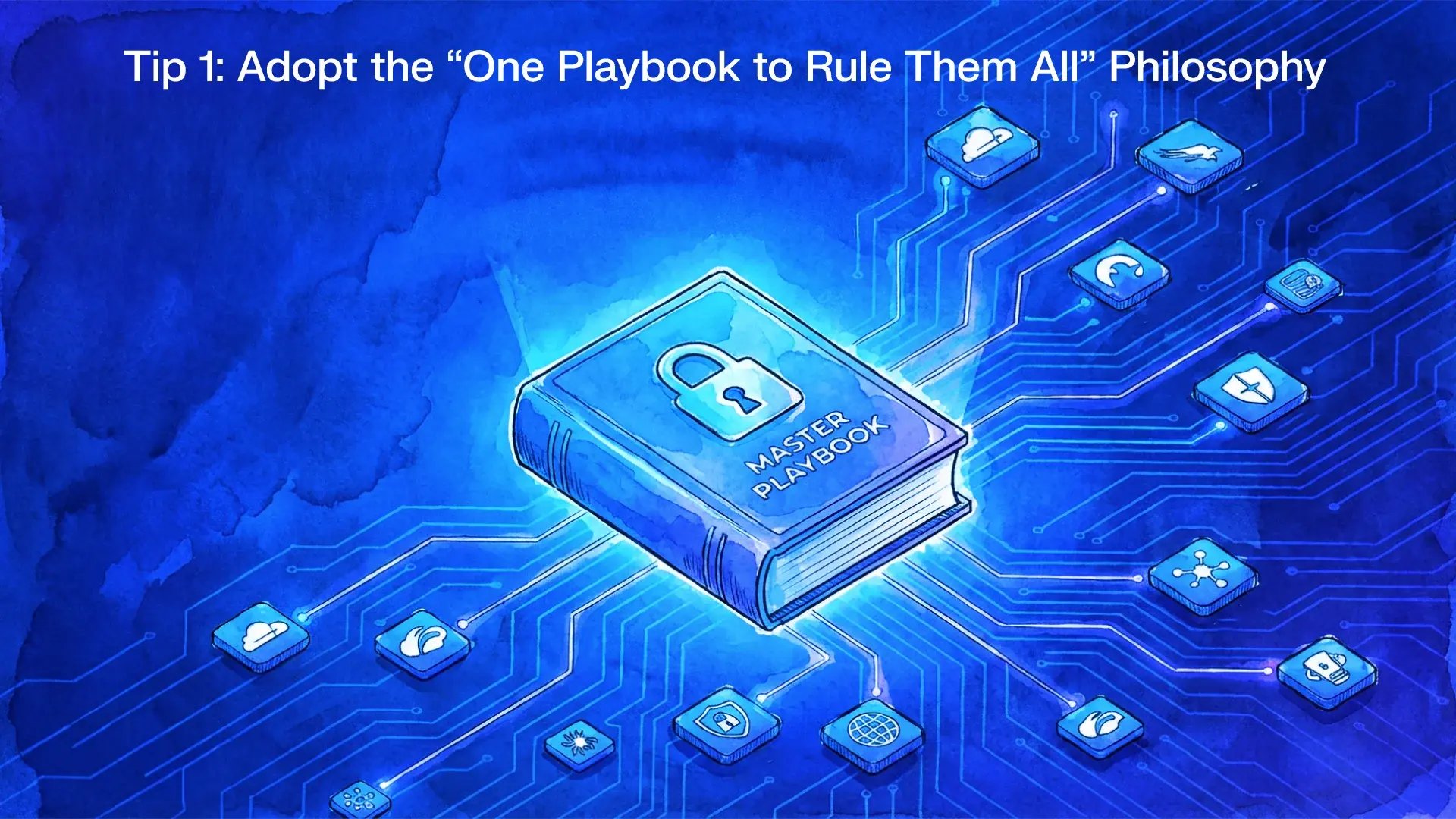
Tip 1: Adopt the "One Playbook to Rule Them All" Philosophy
It doesn't matter how much threat intelligence you gather if it's presented to the analyst as a raw, unformatted block of JSON.
Think of it like serving dinner: you can have the finest ingredients, but if you just pile them all on top of each other, it's an unappetizing mess. You want the turkey, mashed potatoes, and peas served in their own distinct, well-portioned spaces on the plate.
The Trick: Invest heavily in designing effective, analyst-friendly case views.
Google SecOps SOAR provides powerful tools for this, most notably HTML-based widgets. Instead of just dumping data, you can:
Create Custom Dashboards
Build unique views for different alert types. An EDR alert from SentinelOne can have a widget that prominently displays host information and running processes.
Visualize Data
Render enrichment data in tables, lists, and formatted text that is easy to scan.
Empower with Quick Actions
Embed buttons directly on the case wall that allow analysts to perform complex actions—like raising a bug report in Jira or escalating to a specific team—without ever leaving the case.
When analysts have clear, actionable information at their fingertips, they can make faster, more accurate determinations. This not only improves security outcomes but also drastically boosts team morale by making their jobs easier and more impactful.
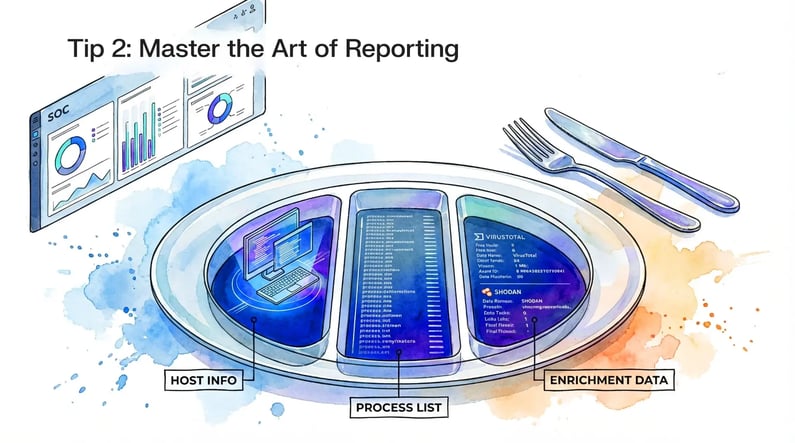
Tip 2: Master the Art of Reporting
Google SecOps SOAR is unique because it caters to different practitioner skill sets. Thinking of it in three levels helps clarify who does what and reveals the platform's true depth.
This is the domain of the SOC analyst. Their world primarily consists of the Case Wall and the Work Desk. They review enriched cases, conduct investigations using the data provided, and make determinations. A well-built SOAR environment means they rarely need to venture beyond this "single pane of glass."
This is where your lead analysts and security engineers live. They operate within the playbook and block editor, using the marketplace of pre-built integrations to design and refine the automated workflows. They are the architects of the analyst's experience, focused on tuning logic and improving efficiency.
This is the killer feature of Google SecOps SOAR. Unlike many other platforms, it includes a built-in Integrated Development Environment (IDE) that runs Python. When a marketplace integration doesn't exist for a tool you use, you don't have to wait for the vendor; you can build it yourself.
Custom Integrations
Need to connect to an in-house application? Build a custom integration. At Foresite, we built our own integration to connect SOAR with our client-facing portal, Catalyst.
Custom Actions
Need to perform a unique operation, like converting HTML from one tool into the Wiki-style markdown required by Jira? Write a custom Python action.
Custom Jobs
Need to run a task on a recurring schedule, like syncing case statuses with an external ticketing system? Build a custom job that functions like a cron job.
The trick: Always start at Level 2. The marketplace is vast and should be your first stop. Nine times out of ten, an existing integration will solve your problem. Only move to the IDE (Level 3) when you have a truly unique requirement that cannot be met otherwise. Custom code is powerful, but it must be maintained.
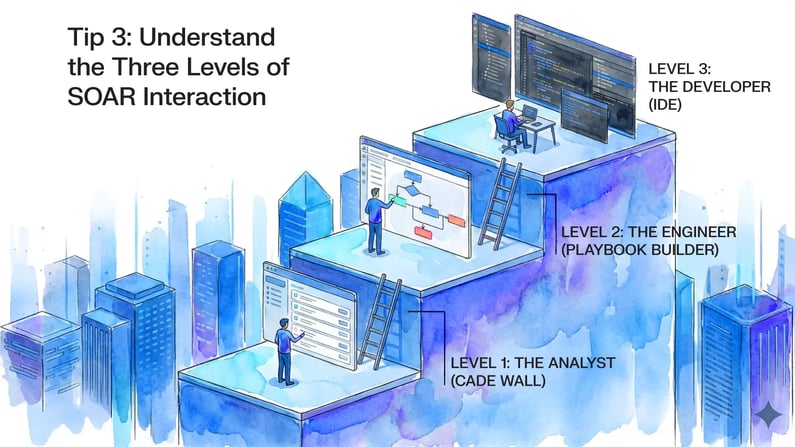
Tip 3: Understand the Three Levels of SOAR Interaction
The ultimate goal of SOAR is often seen as fully autonomous response: automatically blocking an IP, quarantining a host, or deleting an email. This is also the most dangerous part of the journey and where many organizations stumble.
The Trick: Automated actions should be the absolute last thing you implement.
An incorrect automated action—like isolating a critical production server based on a false positive—can do more damage than the threat you were trying to prevent. Before you even consider taking automated actions, you must have achieved a high level of maturity and confidence in two key areas:
Enrichment Accuracy
You must be certain that the data you are collecting is correct and provides a full picture.
Reporting Clarity
You must be certain that this data is being interpreted correctly by your automated logic.
Only after extensive testing and after-action reviews should you begin to pilot automated responses on low-impact systems. Build trust in your automation incrementally.
Tip 4: Approach Automated Response with Extreme Caution
SOAR is not a "set and forget" tool. It is a dynamic system that grows and evolves with your security program. The workflow you design on day one will be vastly different from the finely tuned machine you operate a year later.
The key is to embrace a cyclic process of building, measuring, and refining.
Start simple with a master playbook, focus on providing clear and valuable data to your analysts, and scale your automation intelligently.
Do these things well, and your SOC transforms from reactive and alert-driven to a proactive, intelligence-led force multiplier.