Partner Portal
How to sign in, register a deal, and find what you need to sell. If your company is already a Foresite partner you can go straight in — there is nothing to set up. If you are still exploring a partnership, there is a link on the same screen to start that conversation.
Foresite Cybersecurity is a Google Cloud Premier Partner with Security and MSSP specializations. Foresite delivers managed detection and response built on Google SecOps, alongside governance and compliance, penetration testing, and endpoint, firewall and vulnerability management. The partner ecosystem spans resellers, distributors and referral partners across North America and the UK, with technology alliances including Wiz, Tanium, CrowdStrike, SentinelOne, Tenable and Horizon3.ai. Partners register opportunities and access sales material through the partner portal at partners.foresite.com.
Access is granted automatically from your work email domain. If your company is a Foresite partner, you already have access — there is no account to create and nothing to set up.
If your company is a partner, your access exists. Colleagues and new hires get in the moment they sign in for the first time — nobody has to provision them.
No password to remember, rotate, or reset. No shared logins floating around your team.
SSO and one-time links are phishing-resistant in ways passwords simply are not.
If you have used other partner portals, ignore the muscle memory. There is no "Create Account" step. Existing partners go straight to signing in — and if your company is not a partner yet, the same screen has an Apply here link that starts the conversation.
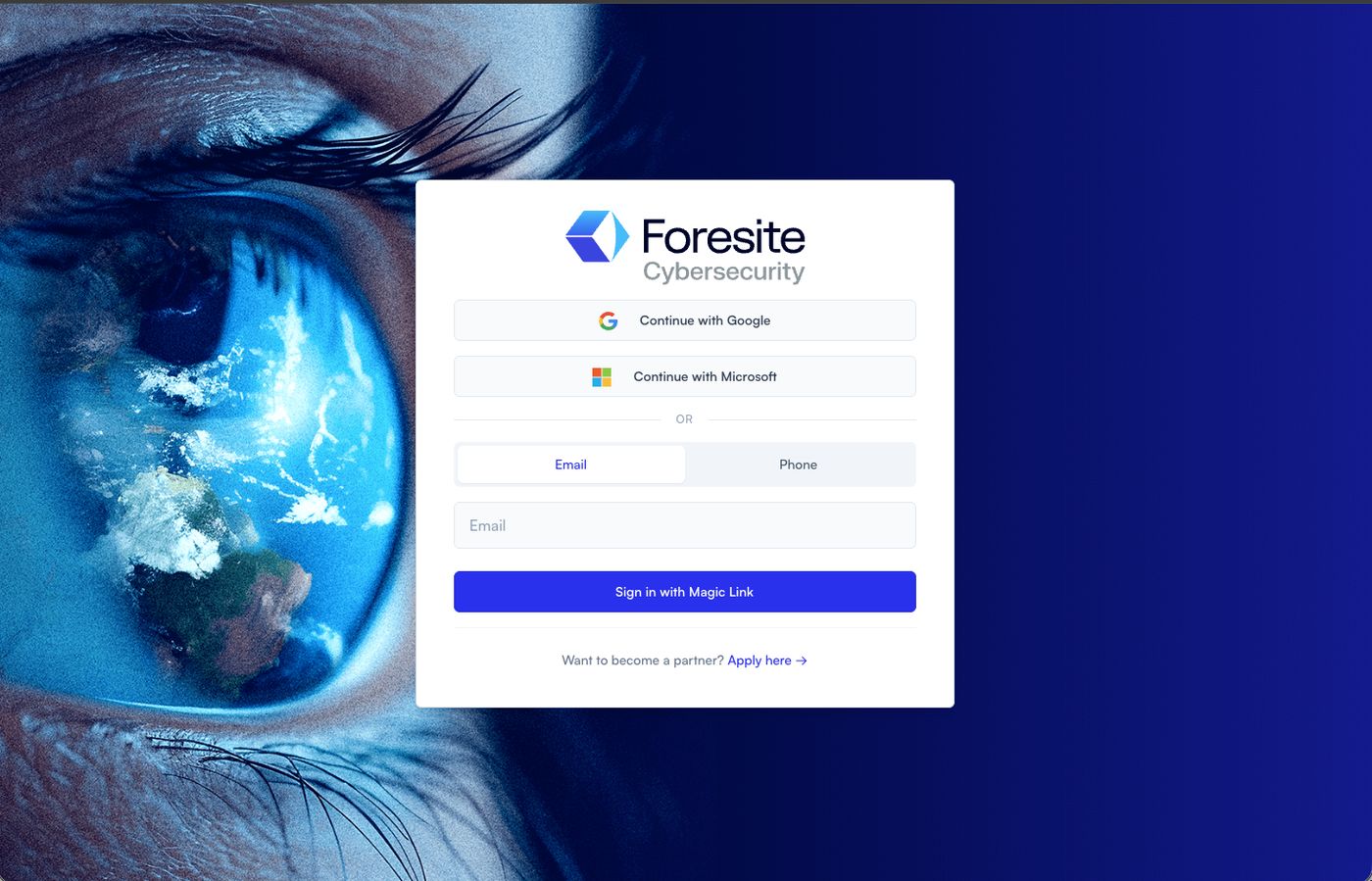
Go to partners.foresite.com. This is what you will see.
 1
2
3
4
1
2
3
4
Personal email addresses are not provisioned and will fail. Always use your work address — that is how we recognise your company.
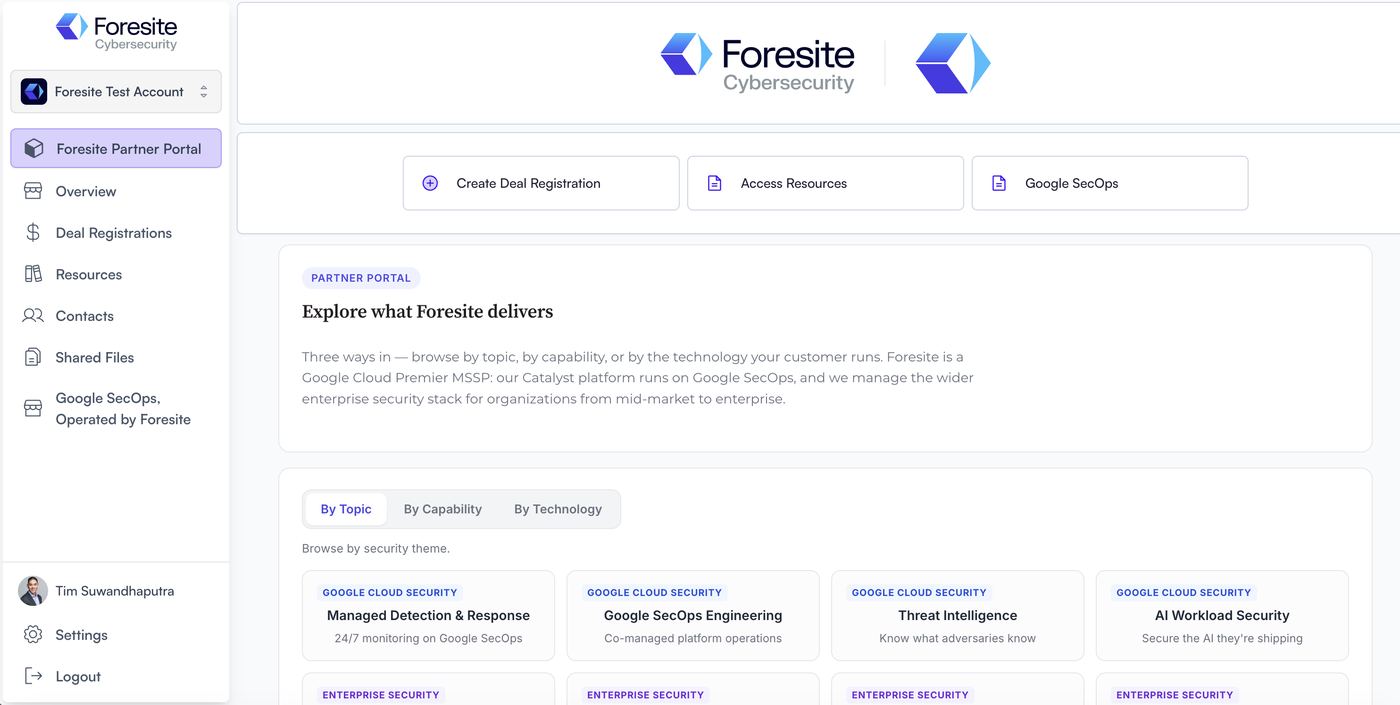
Once you are in, the left-hand menu is your map. It varies slightly by partner type.
 1
2
3
4
1
2
3
4
Your company name sits top left so you always know which account you are in. Scroll past the topic cards for Latest from Foresite — fresh perspective you can forward to a customer, updated automatically.
Use Want to become a partner? Apply here on the sign-in screen. Once the partnership is in place, your whole team gets access automatically from your email domain — there is no second step and nothing to install.
If you would rather talk to someone first, email partners@foresite.com.
This means we do not yet have your email domain on file. Two common reasons: your company has only just been onboarded and the domain has not been added, or you are a contractor using a personal address.
Use Request Access at the bottom of the login page, or email partners@foresite.com with your work email and company name.
Check spam first. If nothing lands within five minutes, request another — links expire quickly by design.
Switch to your work address. Personal domains are not provisioned and will always fail, because your work domain is how we recognise which partner you belong to.
Sign in, then open Resources and start with the Foresite Overviews folder. It is the shortest route to understanding what we do and what you can sell. When you have a live opportunity, come back to the Registering a deal tab above.
Email partners@foresite.com with your work email and company name.
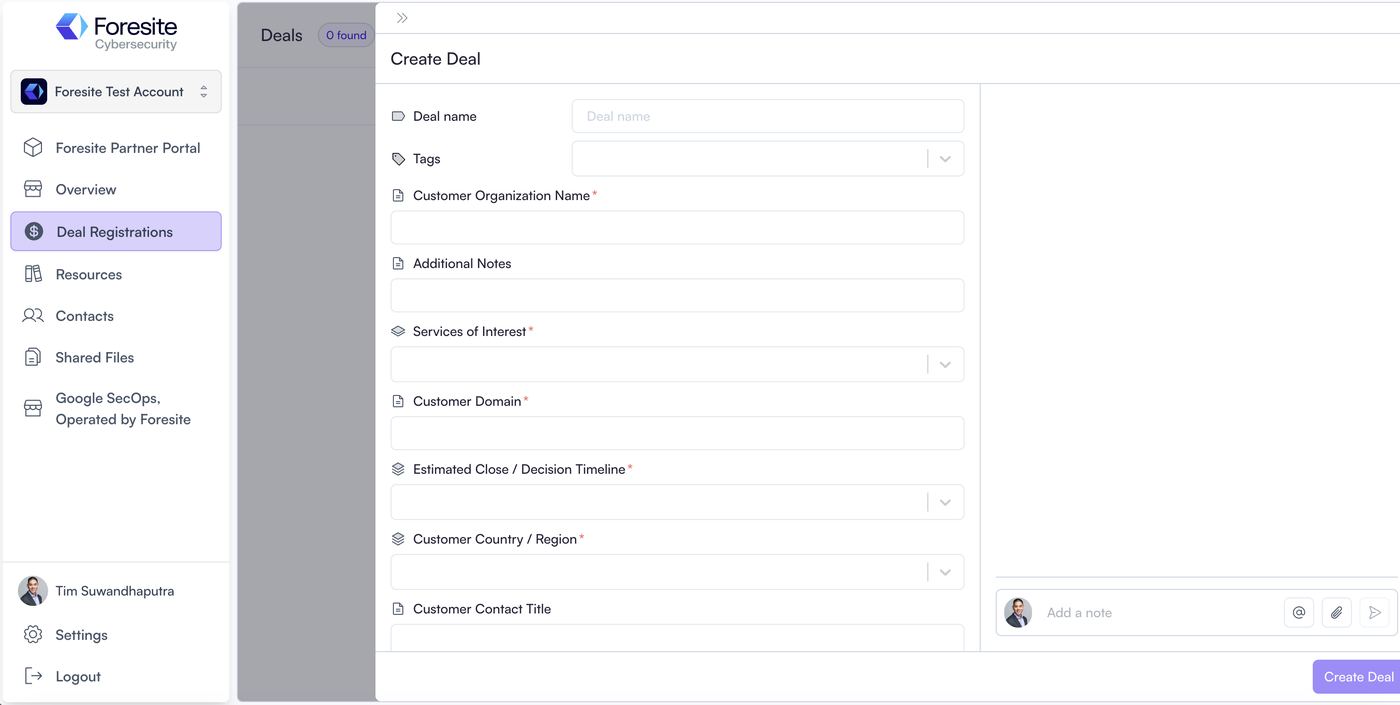
Click Deal Registrations in the left menu, then + Create Deal. This is what opens.
 1
2
3
4
1
2
3
4
This is a working practice version of that same screen, with the real fields and the real behaviour. Nothing you type here is saved or sent. Follow the blue prompt under the window.
Deal registration lives in the left-hand menu. Click Deal Registrations to begin.
These are the only fields the form will stop you on.
| Field | What we do with it |
|---|---|
| Customer Organization Name | The end customer, not your own company. This is what we check against existing pipeline. |
| Customer Domain | The most useful field on the form. A domain identifies a company unambiguously where a name does not. |
| Services of Interest | Drives everything else. It reveals the scoping questions for that service and routes the deal to the right specialist. |
| Estimated Close / Decision Timeline | Sets urgency and helps us reserve technical resource around your deal. |
| Customer Country / Region | Determines which Foresite team and which data residency applies. |
| Customer Contact Name | Who you are working with. We never contact them without you. |
| Customer Contact Email | Used for matching, and for joint calls where you ask for them. |
Choosing a Service of Interest opens a short set of scoping questions underneath it. These are the exact questions our engineers would otherwise email you for.
The form will let you submit without these. Please fill them in anyway. They are the difference between a scoped answer this week and a fortnight of back-and-forth. If you genuinely do not know one, leave it and say so in Additional Notes — that is far more useful to us than a blank.
Ingestion volume and endpoint counts are what price this service. Even a rough figure lets us quote.
Bridge assumes the customer already runs Google SecOps. If they do not, register this as Google SecOps Implementation instead.
Existing platform matters most — migrating off Splunk is a different engagement from a greenfield build.
The deepest branch, because scoping a test is genuinely detailed. First you pick Testing Type(s), then each type opens its own questions:
These map directly to how a test is costed — roughly a day per 25 IPs, a day per 15 dynamic pages, two days per mobile app. Answering them here is what lets us quote without a scoping call.
Framework drives everything. SOC 2 readiness and CMMC are very different engagements.
Note there are vendor minimums on some platforms, so licence count matters early.
Tiering is set by the customer's existing platform entitlement, not by appetite — so the platform answer changes the quote.
Both open the same four: Estimated Yearly Ingestion (TB), FTE / Knowledge-Worker Count, Existing Security Platform(s), and PSO Focus.
Your registration goes into the Foresite review and approval workflow, and appears on your Deal Registrations page straight away.
Status stays on your Deal Registrations page. No need to email anyone to ask where it stands.
You can add notes after submission. If the picture changes, put it on the record rather than in an inbox.
Yes. Services of Interest is multi-select, and you will get the combined set of questions for everything you pick. If a customer is looking at MDR and a pen test, register both — it is one deal with two services, not two deals.
Leave it blank and say so in Additional Notes. "Customer has not shared endpoint counts yet" tells us something. A blank field tells us nothing.
Register anyway and note it. Duplicate detection runs on customer domain, and we would much rather merge two records than lose a deal because you each assumed the other had it.
Pick the closest one and describe what the customer actually asked for in Additional Notes. Getting it slightly wrong costs nothing. Leaving it vague costs you routing time.
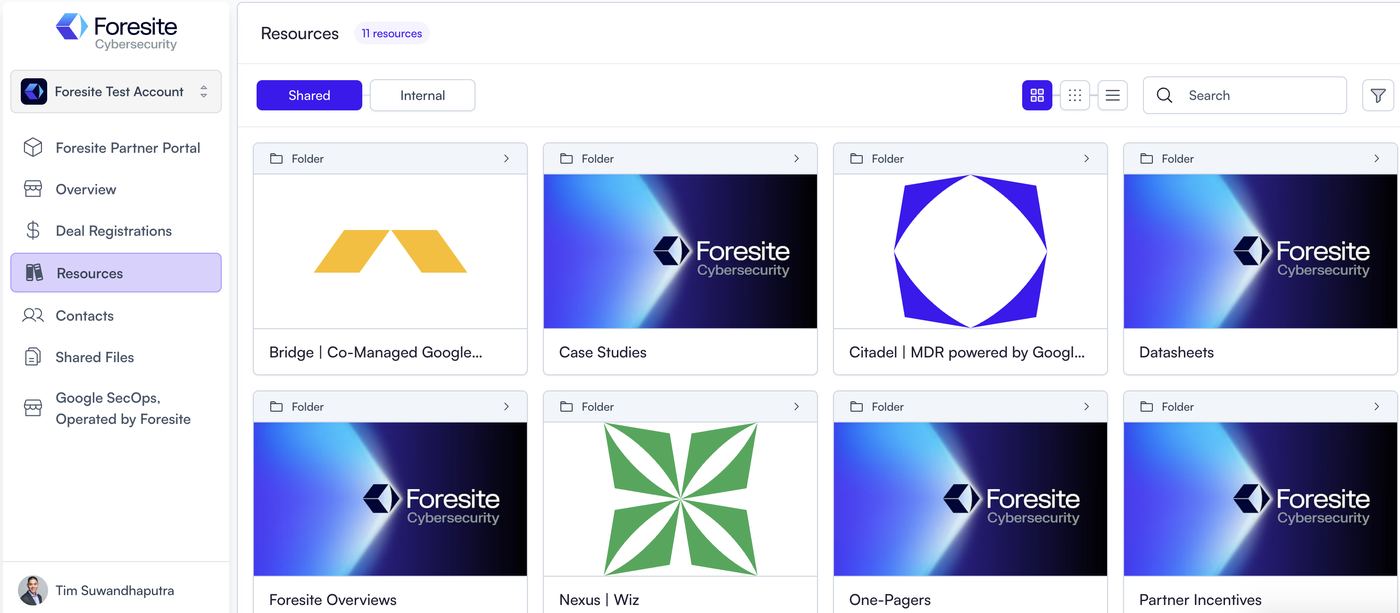
Click Resources in the left-hand menu. Everything is organised into folders, and there is a search bar at the top right if you know what you are after.
 1
2
3
4
1
2
3
4
Service briefs, sales slides, battlecards, and the Citadel-versus-Essentials comparison for when a customer asks which tier fits.
Short, customer-safe overviews you can attach to an email without editing.
Named customer stories. The most useful thing to send when a prospect asks who else you have done this for.
Short demos, including autonomous penetration testing walkthroughs you can share directly.
Current promotions and incentive mechanics.
The handful of things people open most often, without hunting through folders.
Co-branded partner materials need sign-off before they go to a customer. Email partners@foresite.com and we will sort the approved version — usually quickly.
Tell us. The library grows based on what partners ask for, and a specific request ("a one-pager comparing us to X for a healthcare prospect") is much easier to act on than a general one.
The library is actively maintained, but if a document looks dated or contradicts something you have been told, flag it rather than sending it on. We would rather fix it than have it reach a customer.
No password. Just your work email. If your company is not a partner yet, the same screen has an Apply here link.
partners.foresite.com Questions, or want to talk before applying? partners@foresite.com